Task manager for work and family
What is due in the next days, everywhere.
Work, family, personal life. Separate spaces, but only one day. tasks brings together what is due. And takes new tasks from wherever you are.
Free. Swiss provider, EU hosting (Germany).
- Work
- Family
- Personal
The real app. Open to explore.
- Free, no ads
- Swiss provider, EU hosting (Germany)
- Every workspace is its own privacy boundary
- No ad trackers
One day. Three perspectives.
Separate spaces. One overview.
01 Keep things separate
Not everything is for everyone.
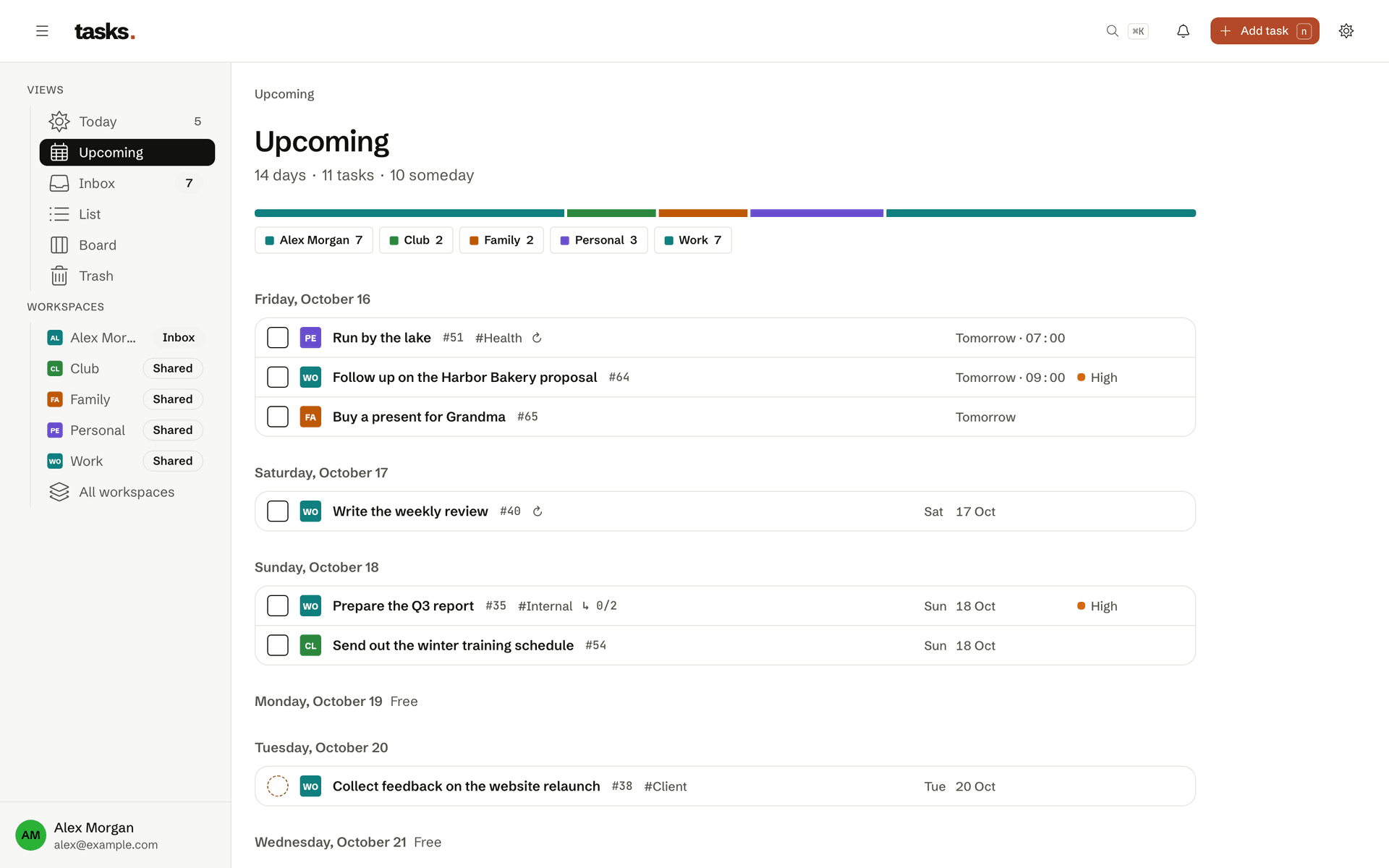
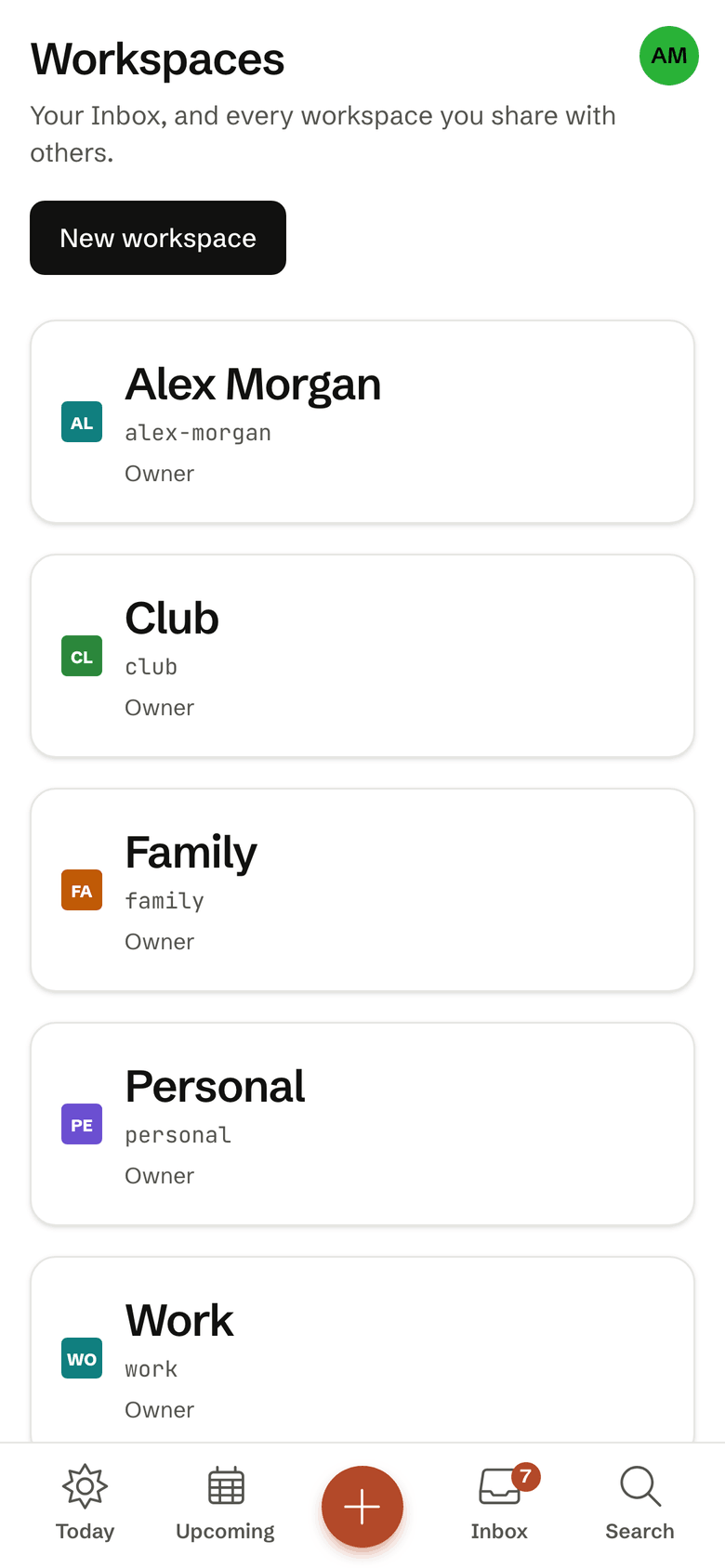
The proposal belongs at work. The shopping belongs with the family. Some things stay personal. Each workspace has its own tasks and members. Your family sees the family workspace, not your work.
 Enlarge screenshotEnlarge screenshot
 Enlarge screenshot
The workspaces Work, Family, Personal and Club, with the Inbox above them. Each one keeps its tasks apart.
02 See it together
Your day spans every workspace.
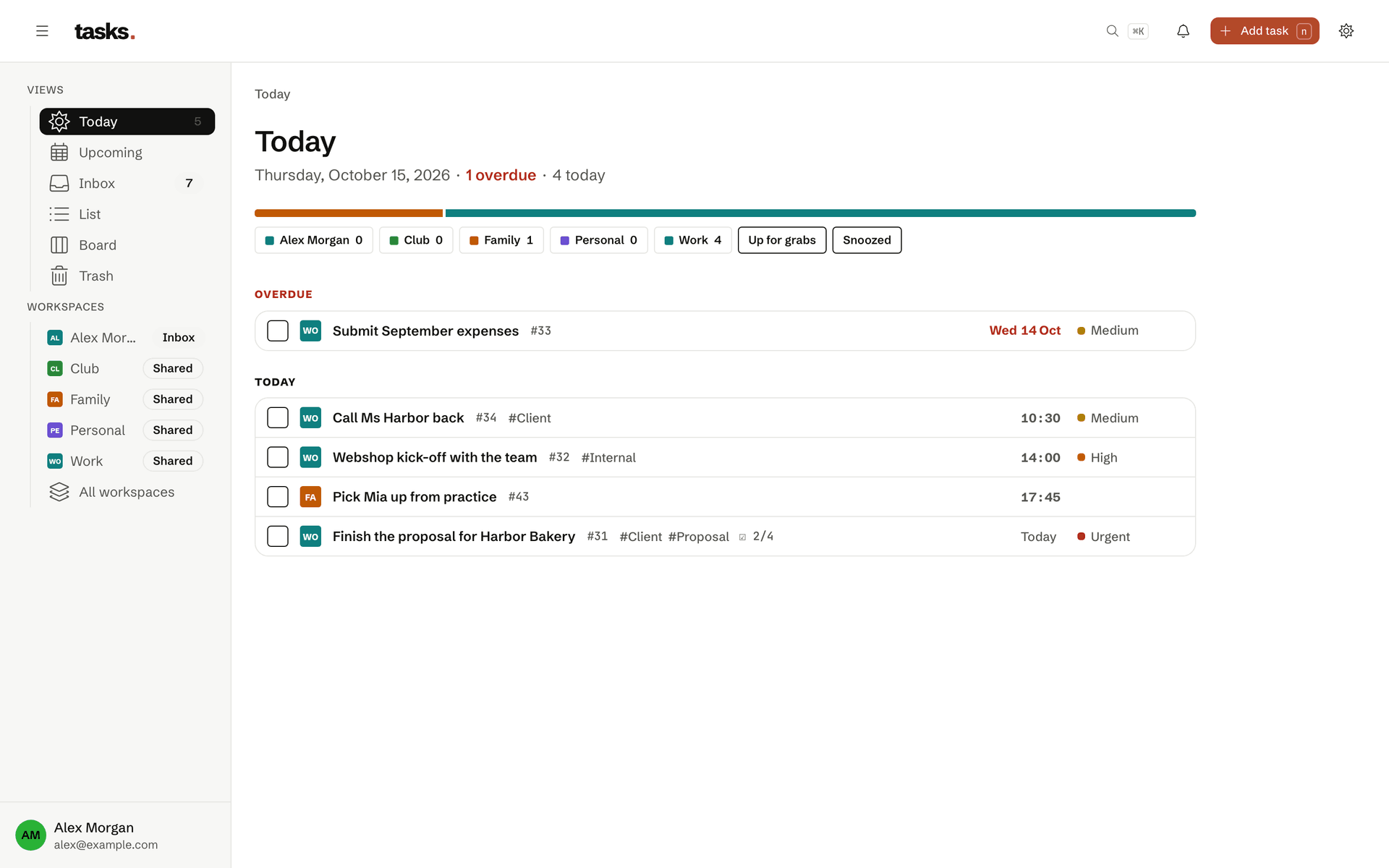
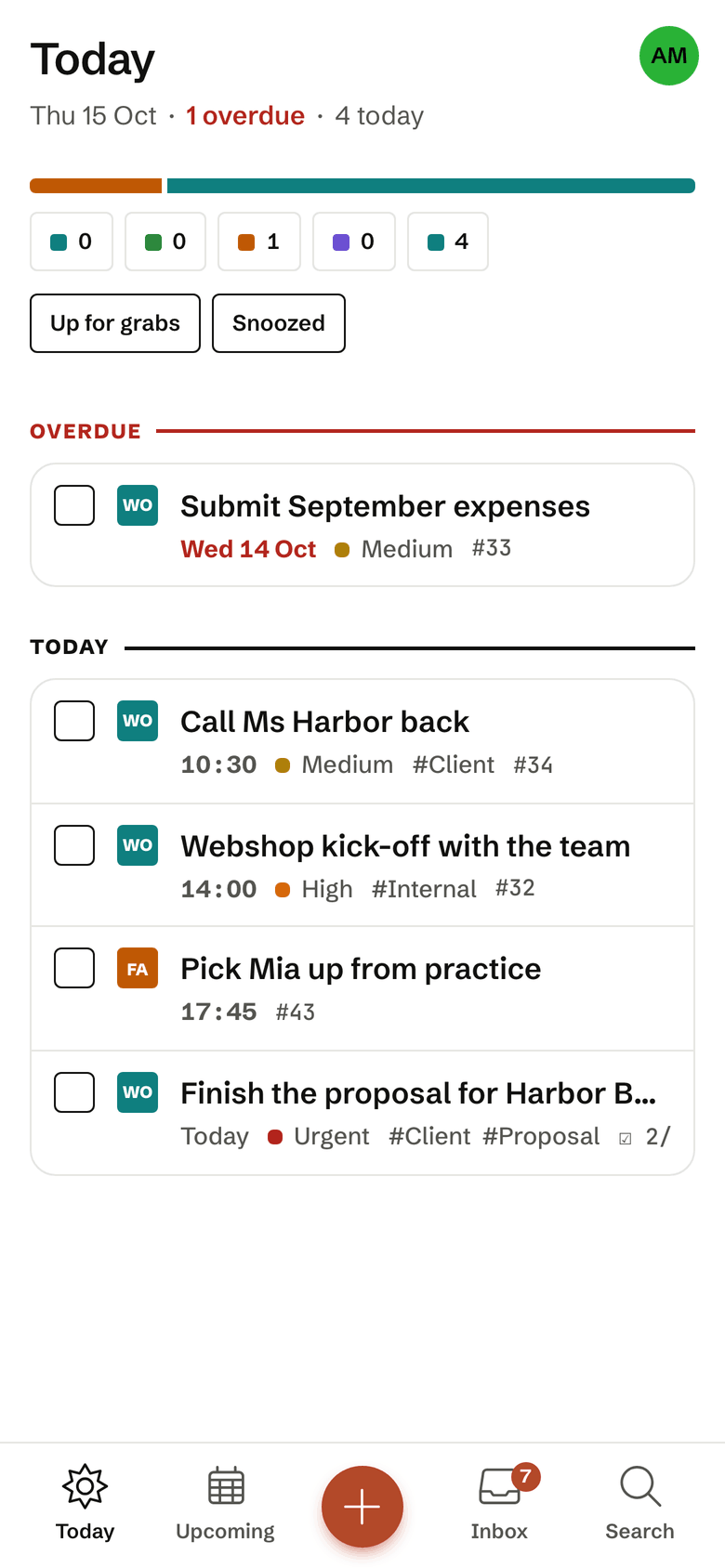
You should not have to open every list to know what is due. Today brings together due and overdue tasks from all your workspaces. Upcoming looks 14 days ahead. Each task keeps its workspace beside it.
- Priorities and tags per workspace
- Subtasks in the web app, in `tsk` and over MCP
- Push notifications and a daily digest
- One calendar feed per context for Apple, Google or Outlook
 Enlarge screenshotEnlarge screenshot
 Enlarge screenshot
The Today view shows what is due today across every workspace. Note that tasks from Work and Family share one list.
03 Capture it now
Out of your head. Into your day.
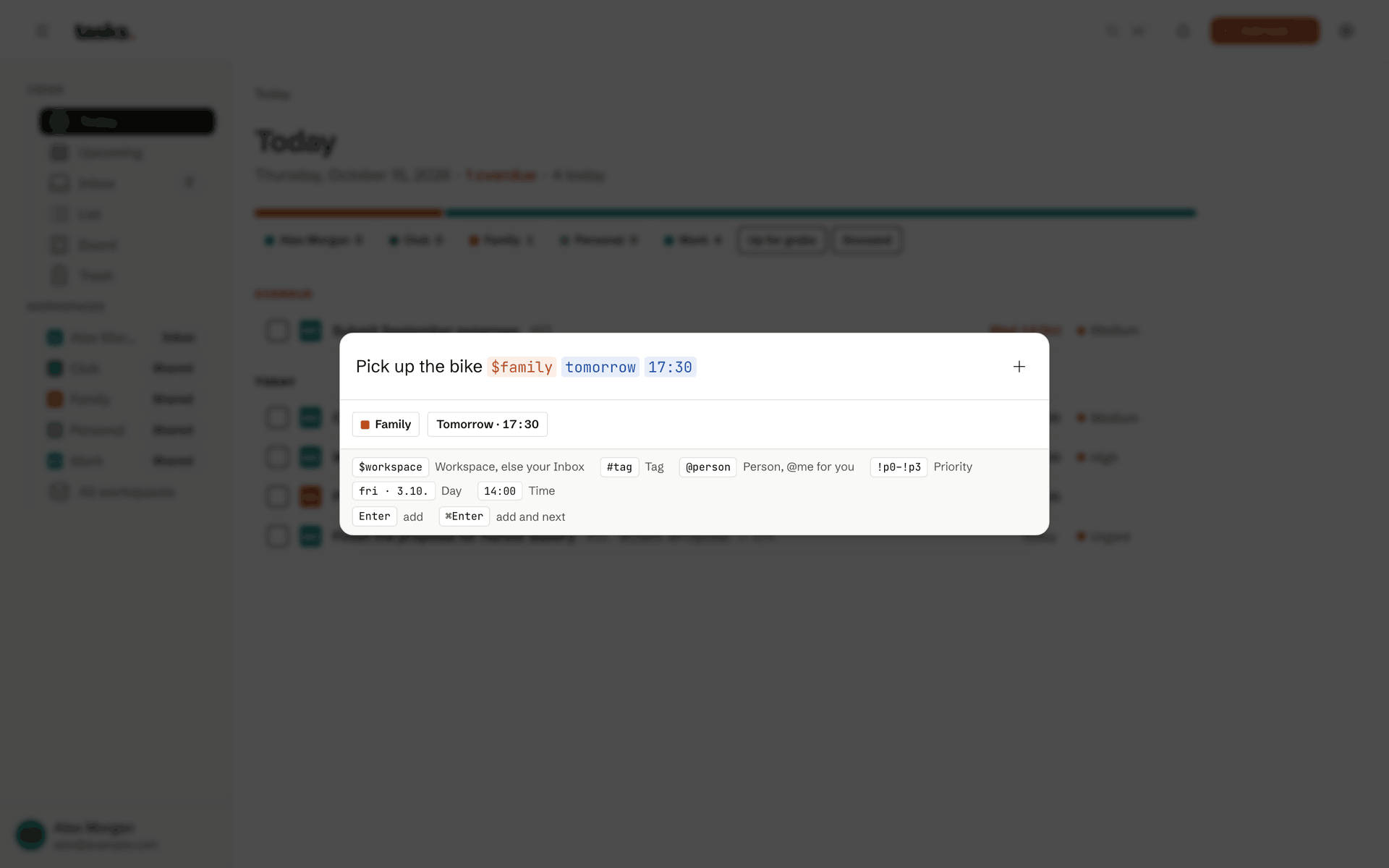
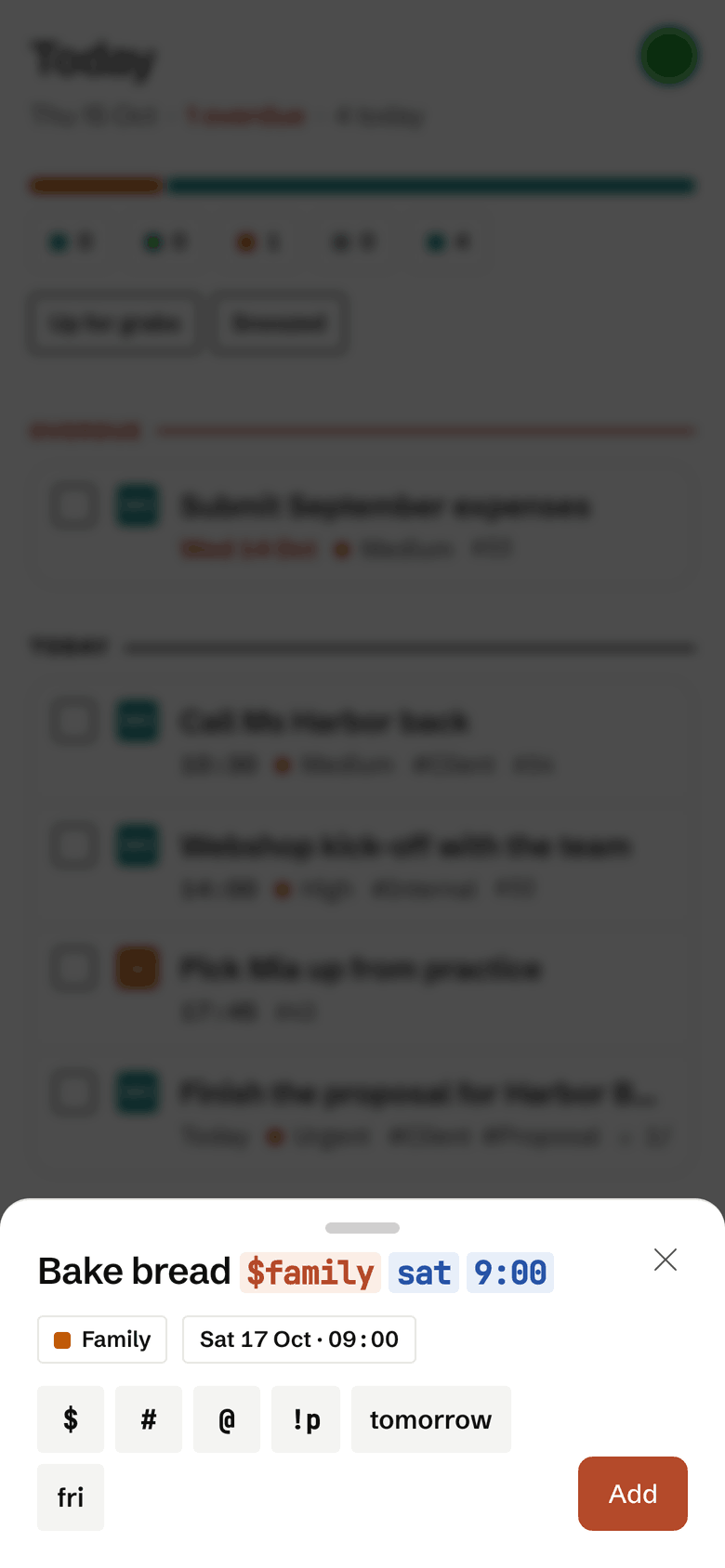
A task rarely comes to mind just as you open your list. Capture it in the browser, with the iPhone shortcut, in the terminal, with Claude or by email. Quick add reads the workspace, date and time straight from your text.
 Enlarge screenshotEnlarge screenshot
 Enlarge screenshot
Quick add takes a whole task in one line. Watch how tasks reads the workspace, date and time from the text.
01 / 03Keep things separate
Enlarge screenshotThe workspaces Work, Family, Personal and Club, with the Inbox above them. Each one keeps its tasks apart.
02 / 03See it together
Enlarge screenshotThe Today view shows what is due today across every workspace. Note that tasks from Work and Family share one list.
03 / 03Capture it now
Enlarge screenshotQuick add takes a whole task in one line. Watch how tasks reads the workspace, date and time from the text.
Your way in
Capture wherever you are
Every channel goes through the same quick-add: title, workspace, date and priority in one line, for example Call the dentist #family tomorrow 9:30.
iPhone shortcut
Dictate a task or share it from any app, with Siri or the Action Button.
Terminal
tsk addin one line, with subtasks, every command also with--json. For Linux, macOS and Windows.Claude and MCP
Claude, Cursor and other MCP clients read and add tasks. A read-only token hides the write tools, and there is no delete tool.
Email
Forward a mail to your personal address and its subject becomes a task.
Calendar
Due tasks as a calendar feed in Apple, Google or Outlook, one for each part of your life.
Browser
The web app on your computer and your phone, also as an installed app with push notifications.
Sign up once, capture everywhere
The account is free. You create the access tokens for the terminal, Claude and the shortcut in the settings afterwards.
Built for our own daily use
Why free?
We built tasks for our own daily use and run it without ads and without trading data. Pro plans, organisations and SSO are coming.
Good to know
Frequently asked questions
What is tasks.squibble.ch?
tasks is a task manager for people with several areas of life. Work, family and private life sit in separate workspaces, and Today and Upcoming still show you on one page what is due in the next days.
You add new tasks wherever you are: in the browser, in the terminal with tsk, with Claude and other MCP clients, with the iPhone shortcut or by email. Due tasks can also show up in your calendar.
Is tasks really free?
Yes. The account costs nothing, with no trial period and no credit card. Every feature is included: workspaces and sharing, tsk, MCP, the iPhone shortcut, calendar feeds, email to task, push and the daily digest. There are no ads, and we do not sell data.
Where is my data stored?
In the EU, on servers in Germany. The website, the application and the database run on servers that Squibble GmbH rents from Hetzner Online GmbH and operates itself. The database is backed up every six hours, and an encrypted copy goes to another Squibble backup system every day.
All connections are encrypted with TLS. Access tokens and calendar feed addresses are stored only as digests. The details are in the privacy policy.
Who can see the tasks in my workspaces?
Only the members of that workspace. Every workspace is its own privacy boundary, enforced in the database itself. Whoever belongs to your family workspace sees nothing of your work workspaces, and the other way round. Your Inbox is yours alone and cannot be shared.
You can also restrict access tokens and calendar feeds to single workspaces.
Which AI assistants work with tasks?
Claude Code, Claude Desktop, Cursor and any other client that speaks the Model Context Protocol (MCP). tasks is an MCP server itself: the assistant lists workspaces and tasks, reads single tasks, adds new ones through quick add, updates them and sets their status. You connect it with an access token or through sign-in (OAuth).
A read-only token hides the write tools. There is no delete tool, and every token can be restricted to single workspaces.
Can family members join without technical know-how?
Yes. For the family a phone is enough: accept the invitation, sign in with their own email address, add the app to the Home Screen. Nobody needs a terminal, tokens or settings. Members of the family workspace see its tasks, take what is up for grabs and get a push notification when something is assigned to them. Your other workspaces stay invisible.