Workspaces
Separate work and personal tasks, see everything due
Each employer, the family and your private life get a workspace of their own. Members of a workspace see only that workspace. You see everything due in Today and Upcoming.
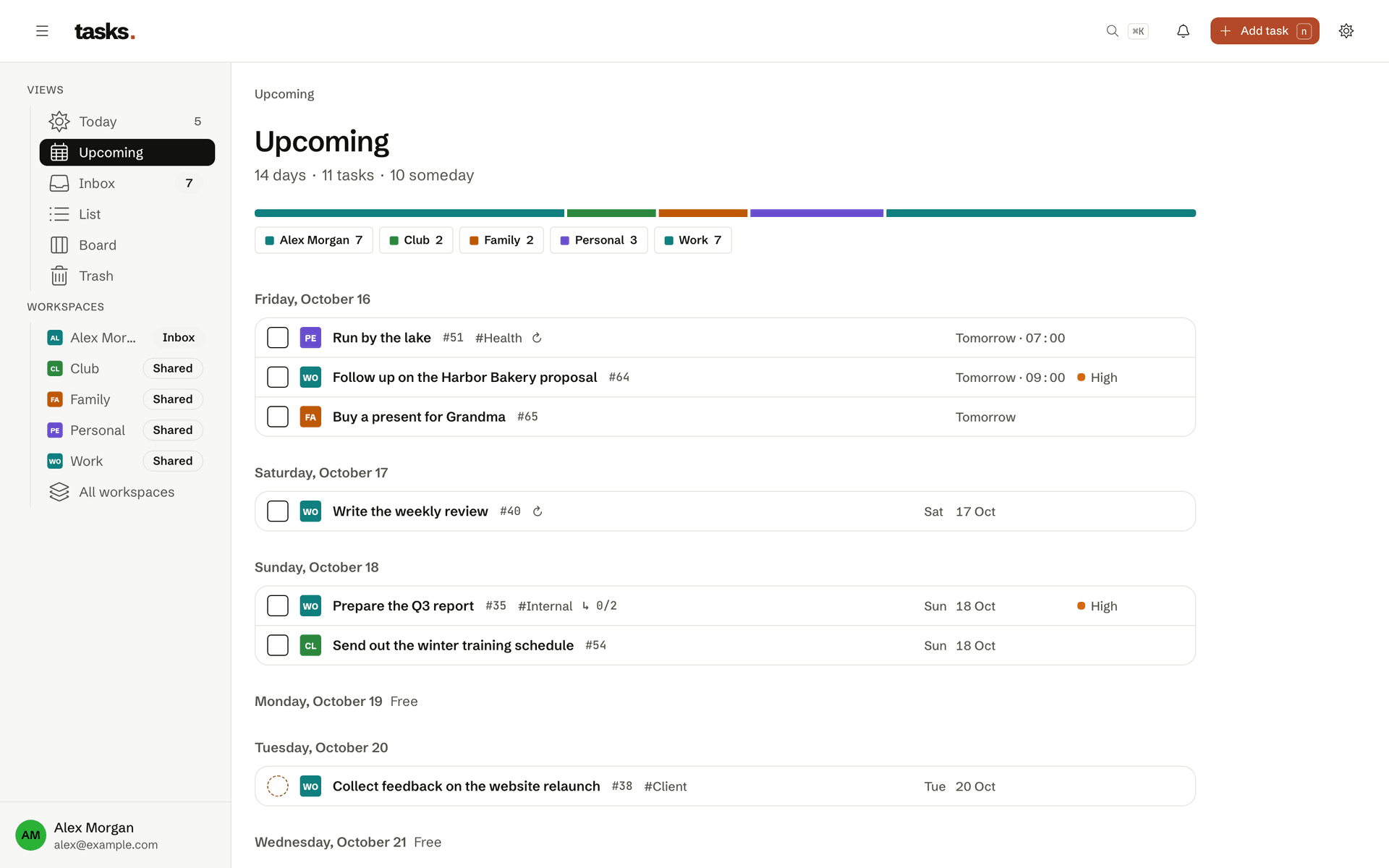
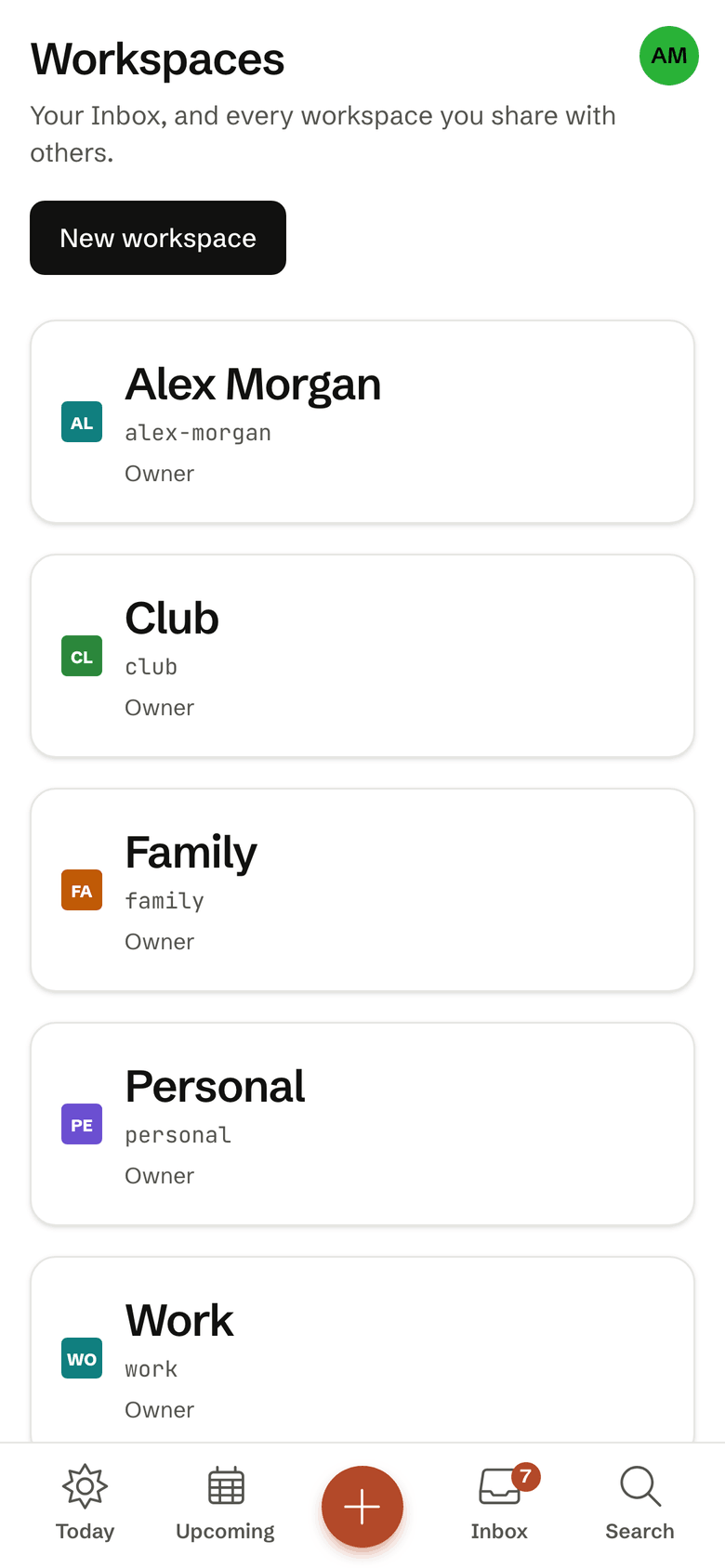
- Every workspace is its own privacy boundary
- One overview across all workspaces
- Priorities and tags per workspace
- One calendar feed per context
Hard boundaries
Your colleagues see only work
A workspace is the one boundary that counts in tasks, and the database enforces it itself. Your colleague sees the work tasks but nothing from your family workspace. Your family sees nothing from work.
- You invite members per workspace
- API tokens can be limited to single workspaces
- Calendar feeds show only the workspaces you pick
One overview
Today and Upcoming across all workspaces
No switching between accounts. Today shows what is due and overdue in every workspace, Upcoming the next 14 days, each task with its workspace beside it. Anything without a place yet waits in the Inbox.
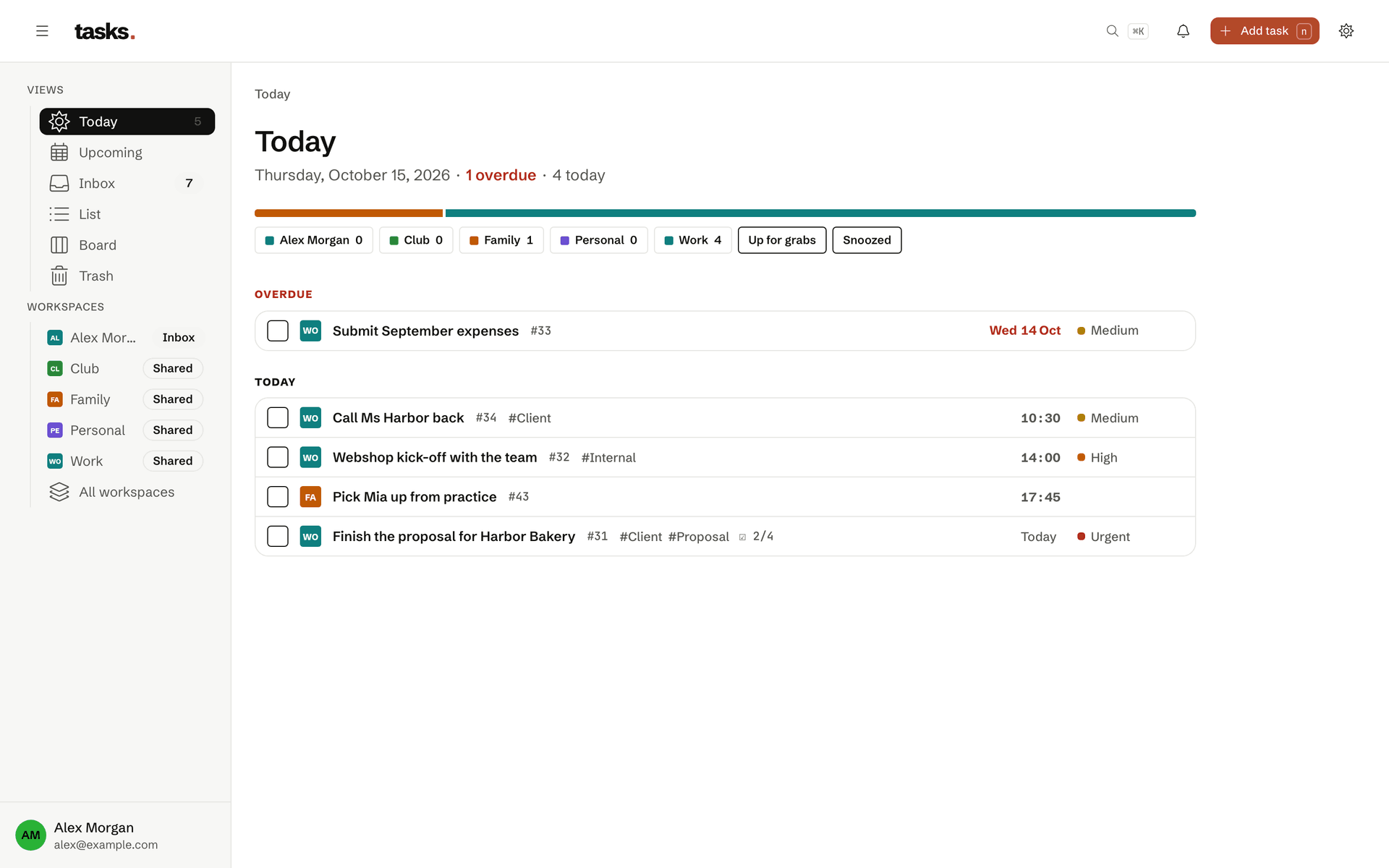
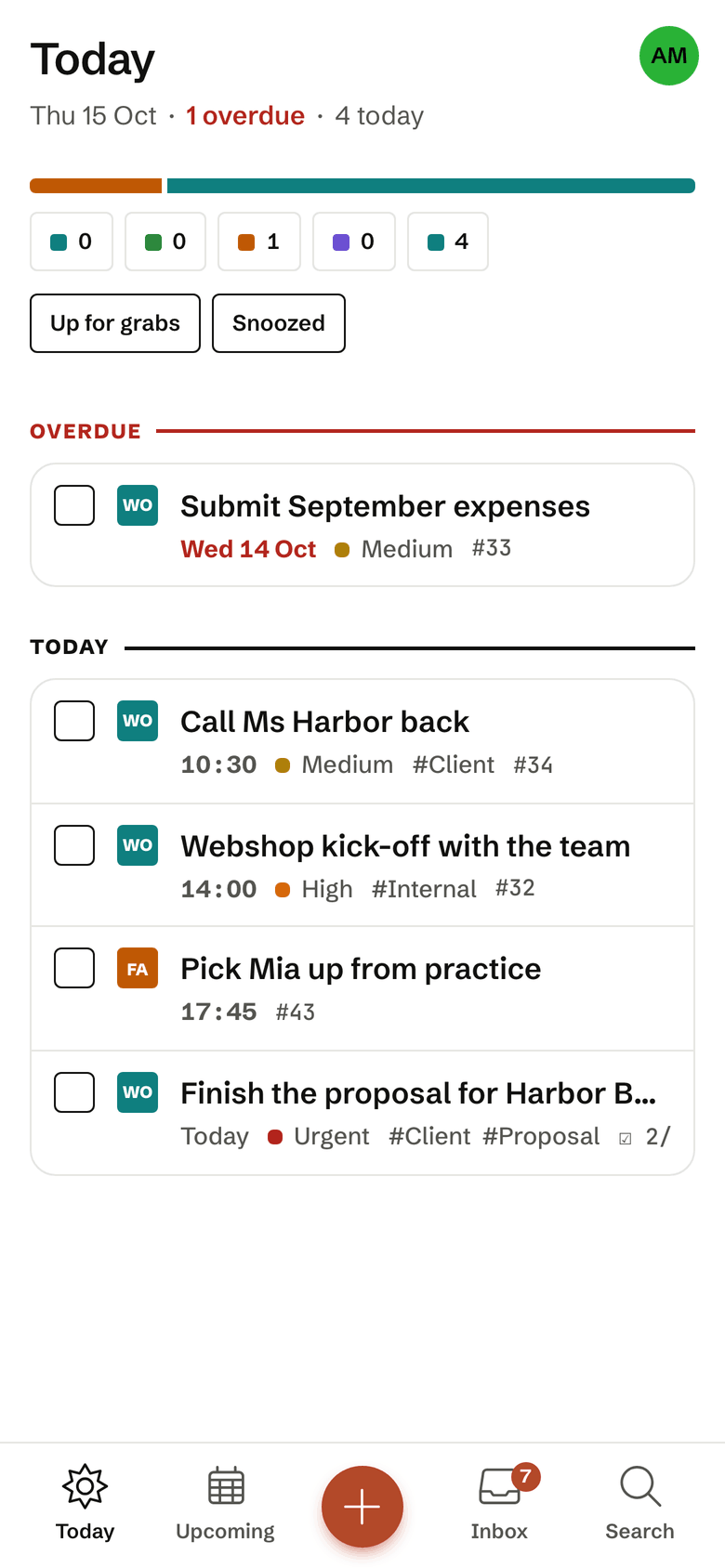
How others divide their days
Two employers
One workspace per employer or client, each with its own members and calendar feed.
Family
A shared workspace for the household, with tasks that are up for grabs.
Private
A workspace just for you that nobody else sees.
Frequently asked questions
Who can see the tasks in my workspaces?
Only the members of that workspace. Every workspace is its own privacy boundary, enforced in the database itself. Whoever belongs to your family workspace sees nothing of your work workspaces, and the other way round. Your Inbox is yours alone and cannot be shared.
You can also restrict access tokens and calendar feeds to single workspaces.
Are corporate credentials stored on the server?
No, neither for Jira nor for GitLab. tsk sync jira and tsk sync gitlab fetch issues on your own computer, with jira-cli’s stored login and your logged-in glab, and send only the list of issues to tasks. The corporate token goes only to your company’s Jira or GitLab server, never to ours, and our server never calls Jira or GitLab. So no admin has to approve a third-party app, and it works behind a VPN too.
For a timer, tsk login --scope sync creates a separate token that can do nothing but sync. tsk never sends descriptions, comments or attachments of external issues. If needed, a workspace shows only the issue keys instead of the titles; the titles then never leave your laptop.
How do due tasks get into my calendar?
Through a calendar feed. In the settings you create one or more feeds, each for the workspaces you choose, and subscribe to the address in Apple Calendar, Google Calendar or Outlook. The feed holds overdue tasks and everything due in the next 90 days, without descriptions.
With “Show task numbers only” the calendar shows just the number, such as #1234, instead of the title, for a calendar others can see. When you renew the address, the old one stops working at once. How often the calendar reloads the feed is up to the calendar app.
Organised apart, seen together
The account is free, with several workspaces too.