Terminal
A command line task manager, tsk
tsk add 'review the quote $work tomorrow !p1' and the task is in your list. One binary for Linux, macOS and Windows, and every command also takes --json.
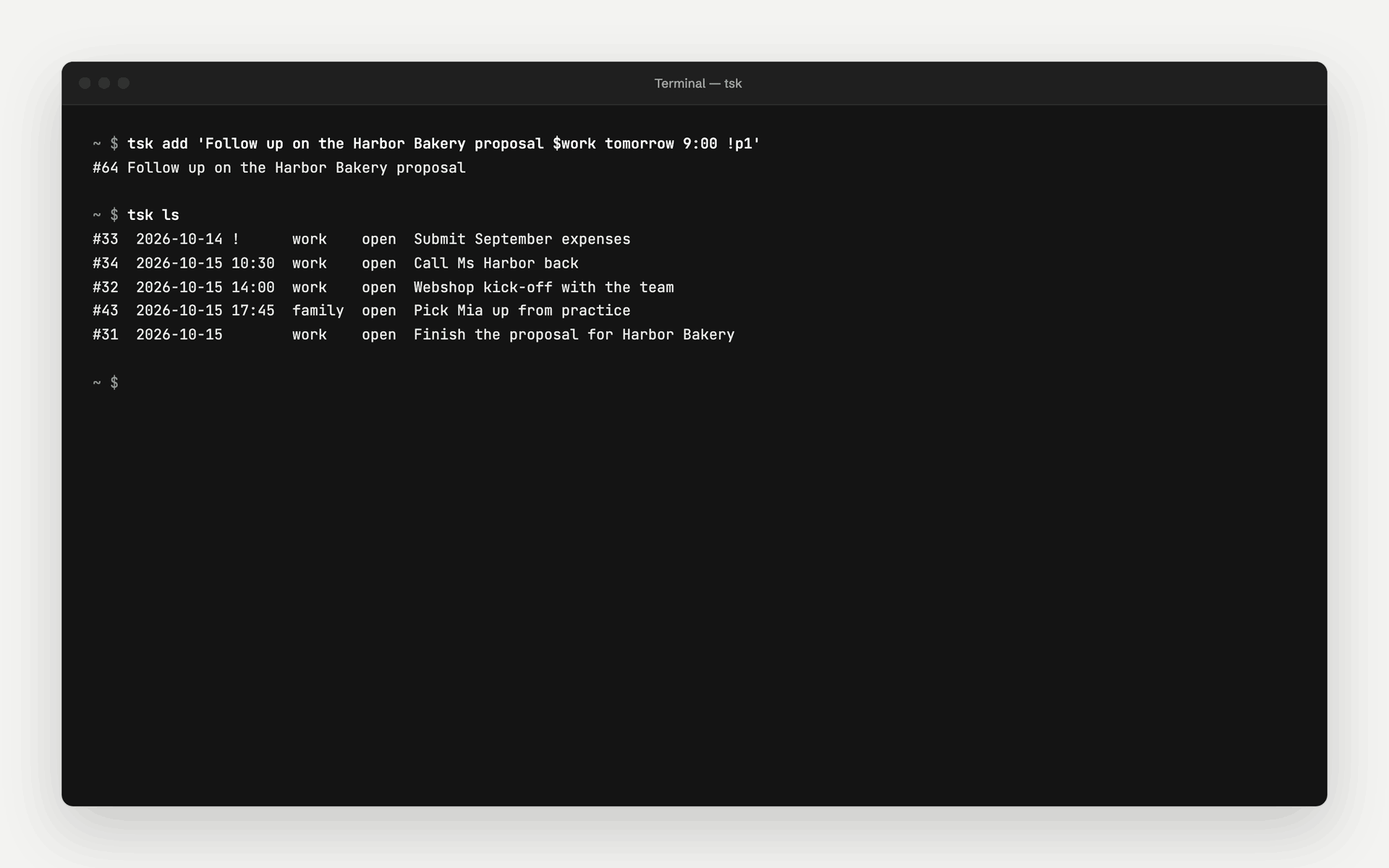
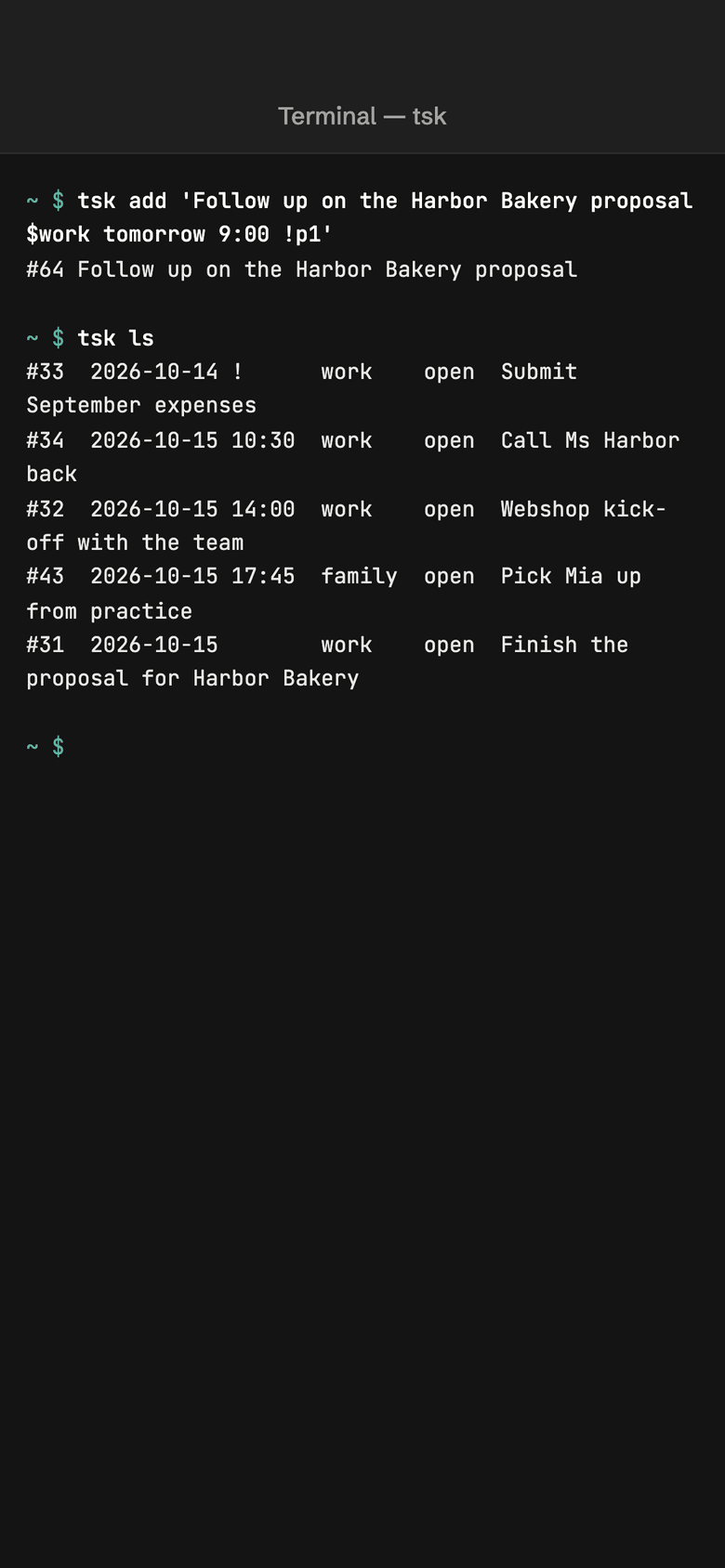
- One binary, no dependencies
- Linux, macOS and Windows
- Every command takes --json
- The same quick-add line as the web app
Commands
Capture, list, complete
tsk has login, add, ls, show, edit, mv, done, reopen, rm, restore and version. The quick-add line understands a workspace ($work), tags (#client), an assignee (@anna), a priority (!p0 to !p3) and dates such as tomorrow, fri, 2026-10-03 or in 2w. Tags, categories and priorities are also flags: tsk ls --tag client --priority 1, tsk edit 1234 --tag +client --priority 2, tsk edit 1234 --category Home/Garden.
- Exit codes 0, 1, 2 and 3 for scripts
- TSK_TOKEN and TSK_URL for CI and servers
- Configuration in ~/.config/tsk/config.toml, readable only by you
                    $ tsk add 'Review the quote $work tomorrow 14:00 !p1'
$ tsk ls --tag client --priority 1
$ tsk edit 1234 --tag +client --category Clients/Active
$ tsk done 1234
Subtasks
Break a task into subtasks, in one go
tsk add -p '#34' 'Book the offsite' creates a subtask under #34, in the workspace of its parent. --item and stdin add several at once, tsk mv re-parents or moves them, and tsk ls shows subtasks indented under their parent. A task and its subtasks are one level deep.
- If only a subtask matches the view, the parent shows as a context row
- `tsk ls --json` stays flat
- Batch adds stop at the first error, tasks already created stay
- Subtasks work in the web app and over MCP too
                    $ tsk add -p '#34' --item 'Get a quote' --item 'Book a date'
$ printf 'Get a quote\nBook a date\n' | tsk add -p '#34' -
$ tsk mv '#35' --parent '#40'
$ tsk mv '#35' --parent none
$ tsk mv '#34' --workspace private
Jira and GitLab
Bring in Jira and GitLab from your laptop
tsk sync gitlab and tsk sync jira send the issues assigned to you to tasks, with the login glab and jira-cli already keep on your laptop. tsk sync gitlab setup picks which project goes to which workspace, and --verbose shows what a sync fetched, where each issue went and what the server counted.
- No Jira or GitLab token on our server
- `--map` sets the mapping in scripts, without a terminal menu
- `--verbose` writes to stderr, `--json` stays unchanged
                    $ tsk sync gitlab setup
$ tsk sync gitlab --verbose
$ tsk sync jira --watch 10m
Download tsk
The current version for your system. Check the file against sha256sums.txt before you run it.
- macOS (Apple silicon)
- macOS (Intel)
- Linux (x86-64)
- Linux (ARM64)
- Windows (x86-64)
- Checksums (sha256sums.txt)
          file=tsk-linux-amd64
base=https://me-squibble-tasks--production.s3.eu-central-2.amazonaws.com/public/tsk/latest
curl -fLO "$base/$file" -fLO "$base/sha256sums.txt"
grep " ${file}\$" sha256sums.txt | shasum -a 256 -c -
chmod +x "$file" && mv "$file" ~/.local/bin/tsk
Then sign in with tsk login. The guide shows every step.
Set up in three steps
Create your account
Sign up for free and create a token under API tokens in the settings.
Install tsk
Download the binary for your system, check the checksum and put it on your path.
Sign in and capture
tsk loginstores the token,tsk addcreates your first task.
Frequently asked questions
How does `tsk` work in the terminal?
tsk is a single program for Linux, macOS and Windows, with no dependencies. Download it, check the checksum and sign in with tsk login and an access token. After that, tsk add 'Send quote $client-a tomorrow !p1' adds a task in one line.
ls, show, edit, mv, done, reopen, rm and restore list, edit, move and complete tasks. tsk add -p '#34' --item 'A' --item 'B' adds several subtasks under #34, tsk mv re-parents them. Every command gives machine-readable output with --json for scripts.
What limits apply?
To keep the free service fair, limits per account are planned: for owned workspaces, tasks per workspace, personal access tokens, calendar feeds and links per task. The exact numbers are in the table on the pricing page and in the terms of use. They are set so that you do not notice them in daily use. We also limit how many requests a token may make per minute, so a faulty script slows nobody down.
How do Jira and GitLab issues show up in tasks?
Issues assigned to you appear next to your own tasks, with their key, their source and a link to the original. tsk sync gitlab and tsk sync jira read them on your laptop, GitLab through your logged-in glab, Jira with jira-cli’s stored login, and send them to tasks. From GitLab you also get the merge requests waiting for your review. They are as fresh as your last sync: run once, with --watch 10m or on a timer.
Which project lands in which workspace you set once with tsk sync gitlab setup or tsk sync jira setup. Projects without a mapping are not sent, and tsk names them after each sync.
Title, due date and status stay read-only and follow the original. Priority, tags, category, start date and a note are yours to set in tasks; they survive every sync. Recently closed issues show as done or cancelled and then move to the archive.
Capture tasks without leaving the terminal
The account is free. Setting up tsk takes a few minutes.